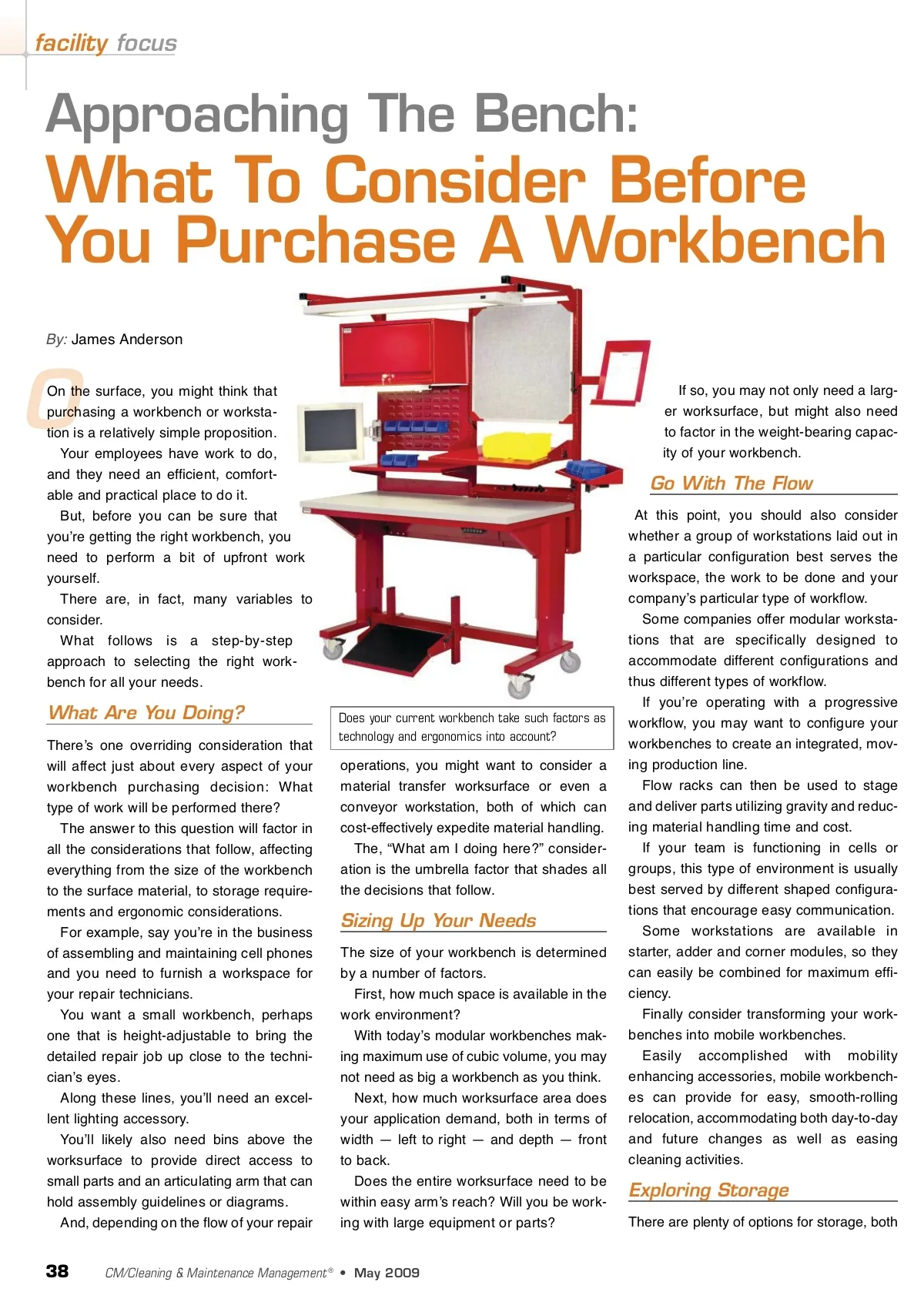
above and below the worksurface, so with careful planning you should be able to get a workstation that exactly addresses your storage needs with little or no wasted space. From plastic parts bins to a variety of shelving options, to every size and configu-ration of drawer, thereʼs a lot to consider. Obviously, think about what you will be storing in terms of size, shape, weight, quantity, fragility, how accessible those items need to be and how much security they demand. You can simplify your storage decisions by reducing the items being stored to only those items that directly address your work-bench applications. Do you need a home for shipping docu-ments? A bar code scanner? Label print-ers? Small parts? Tools? After determining exactly what needs to be stored, zero in on making the workspace more efficient. Create a designated storage location for every item. This is easily accomplished with modular drawer cabinet interiors that can be custom configured to produce almost infinite layout options. This high level of organization is particu-larly important if different people are using the same workbench at different times. Time savings are maximized and inven-tory control becomes a non-issue. each workbench can be essential. There are diverse options to consider — from power beams and air beams to air supply brackets and cable management accessories. You can narrow your selections down to the necessary few by asking the right ques-tions. First, consider the applications. Will each workbench be home to a com-puter monitor and other computer equip-ment? Do you need a data beam? Will the tasks at hand require compressed air and what is the source of that air? How many outlets do you need at each workbench and how much power? Where should the outlets be positioned? Do you require a ground-fault circuit interrupter (GFCI) to provide protection against severe shock and electrocution? Consider cord management, both from an aesthetic point of view as well as the safety factor. To keep power cords from becoming trip-wires, cable trays may be needed. the type of work being performed, be it pre-cision work — requiring a higher worksur-face — or heavier work — necessitating a lower worksurface. But what if different shifts are using the same bench? And/or what if different tasks are being performed on the same bench? If these variables come into play, you may want to consider an adjustable-height workstation. With a bench such as this, users can adjust the bench height with the simple turn of a crank, with a motor drive or via a slide leg, and the worksurface can travel between approximately 25 and 41 inches. A Complete Solution Your company probably has multiple departments, from manufacturing to test-ing, shipping and beyond. Using a common workbench platform throughout your facility has many benefits from better utilization of inventory to easier reconfiguration, interchangeability of accessories and aesthetic appeal. When you standardize in this way, acces-sories can be swapped between depart-ments, colors and designs match and there are no surprises when employees shift to a different department. Maybe youʼd prefer not to have to sort out these many issues by yourself. Choose a workbench provider who offers design-planning assistance to guide you through the process and advises you of the most appropriate choices. Free services such as surveys and com-puter-aided drafting (CAD) drawings can make the process virtually painless. The upshot of this is that you should con-sider working with a workbench provider that offers maximum breadth of product and flexibility. To this end, you can view all of your workbenches as part of a complete picture, although each has been custom-built to accomplish a unique task. In keeping with this step-by-step philoso-phy, youʼll have taken many smart steps for each department and one giant leap for your business. CM James Anderson is the product manager for Lista International. For more information, please visit www.listaintl.com. Other Accessories No matter what the task, thereʼs an acces-sory option to help you get your employeesʼ jobs done. By taking advantage of the abundant ver-tical space above the worksurface and the many interchangeable accessory options available, you can create a highly efficient work center. Picking the right accessories really comes down to: What jobs are being per-formed in this workspace? Do you need shelving for manuals or instruments? Do you need parts bin rails, a monitor bracket or a keyboard holder? As long as you carefully consider the needs inherent to each job or jobs, youʼre certain to be satisfied with the final acces-sorized result. Seeing The Light As mentioned earlier, determining the light-ing needs of your different workbench tasks is an important consideration. Does each station need separate light-ing? Does the room itself have lighting defi-ciencies? If you decide you need to equip your workbenches with lighting accessories, are your technicians best served by overhead fluorescent lighting or a swing arm that can be easily positioned and/or moved out of the way when not needed? Do you need an accessory that can dif-fuse the light and reduce glare? After you weigh your lighting needs and options, you should next move on to your electrical requirements. From cleanrooms to quality control departments to research and development, having a convenient source of power at A Stress-free Decision It is essential to factor in ergonomics as both a safety and productivity issue. To minimize stress and strain, a 30.5-inch worksurface height will accommodate 99.5 percent of all male and 99.9 percent of all female workers when they are sitting down. And when they are standing, the optimal worksurface height can depend entirely on www.cmmonline.com 39
CMM – Archives May 2009: 39